Connect Seedr to Infuse (iOS, tvOS, macOS)

Connect Seedr to Infuse (iOS, tvOS, macOS)

Infuse is the nicest media player on Apple hardware. Point it at your Seedr account over WebDAV or FTP and you get your whole Seedr library on Apple TV, iPhone, iPad, and Mac with posters, metadata, and fast scrubbing — no Plex server, no home PC. What this gets you
Merge PDF files online — free and no software needed

Merge PDF files online — free and no software needed

You have three documents. The person waiting needs one file. That gap — between what you have and what you need to send — is what this is for. No software, no watermarks, no subscription wall before you can do anything useful. PDF merging is part of Seedr V2's document

Edit a PDF online without Acrobat — what actually works

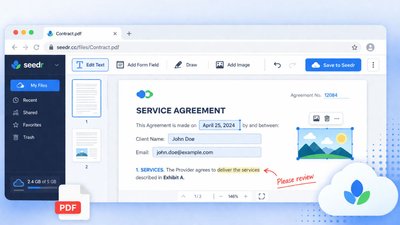
Edit a PDF online without Acrobat — what actually works

You need to fix a date on a signed lease. Add a signature to an offer letter. Highlight two clauses in a contract for your lawyer. The standard advice is "buy Acrobat" or "print, scribble, scan." Neither is great. What you actually want is a browser tab that lets you

How to open HEIC photos online on Windows, Android, or any browser

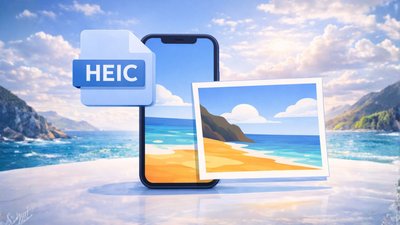
How to open HEIC photos online on Windows, Android, or any browser

Open HEIC photos online Someone AirDropped you a batch of iPhone photos. You drop them into Windows Explorer, double-click, and get a blank preview or a codec error. Android and Windows do not always handle HEIC cleanly, and the official fix — installing Apple's HEIF extensions, or buying a third-party

Connect Seedr to Infuse (iOS, tvOS, macOS)

Connect Seedr to Infuse (iOS, tvOS, macOS)

Infuse is the nicest media player on Apple hardware. Point it at your Seedr account over WebDAV or FTP and you get your whole Seedr library on Apple TV, iPhone, iPad, and Mac with posters, metadata, and fast scrubbing — no Plex server, no home PC. What this gets you
Three ways to add links and files in Seedr V2

Three ways to add links and files in Seedr V2

Seedr V2 rebuilds the add-to-cloud flow around one button and one paste. You can add a link, scan a webpage for downloads, upload a local file, or share straight from your phone — all without switching tabs. Why we changed the add-flow In V1, adding content meant picking the right

How to watch cloud videos offline with Seedr V2

How to watch cloud videos offline with Seedr V2

Watch cloud videos offline with Seedr V2 Offline Mode in Seedr V2 lets you save any file from your cloud to your device and watch it with no connection. One tap to mark a file offline. Switch to airplane mode. Press play. No buffering. This is a V2-only feature, Premium